I Built an Offline Photobooth That Prints Your Photo as a Receipt
I Built an Offline Photobooth That Prints Your Photo as a Receipt
I built a portable photobooth that runs entirely offline on a Raspberry Pi and prints your photo, black and white, dithered, timestamped, on actual thermal receipt paper instead of a glossy photo strip. This is the latest in my vibe-coded projects series, and it's the one with the most hardware fighting me along the way.
What why a receipt instead of a photo strip?
Receipt paper is cheap!!! And the printer is so fast.
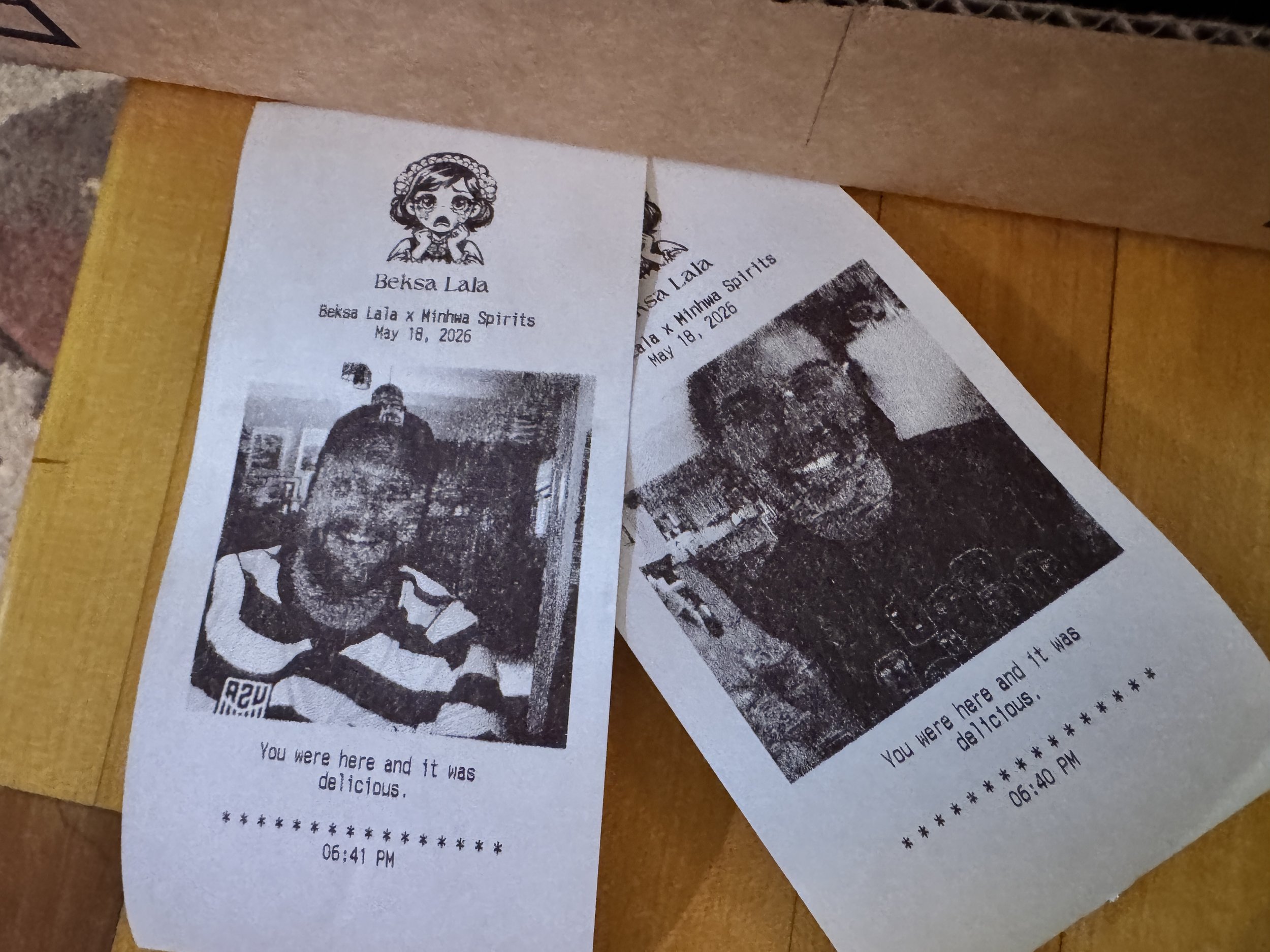
Instead of a glossy photo strip, a guest gets a black-and-white thermal receipt with their photo on it, something scrappier and more novel, like proof of having been somewhere. I can brand it with an event name and a one-liner, and it ends up looking like nothing else at the party.
There's also a specific person behind this one. My friend Basia runs a pop-up restaurant, and I'm always looking for an excuse to build her something fun. A receipt printer tied to a photobooth felt like an obvious pairing for someone in food and hospitality, so this project started as much as a gift for her as a technical challenge for me.
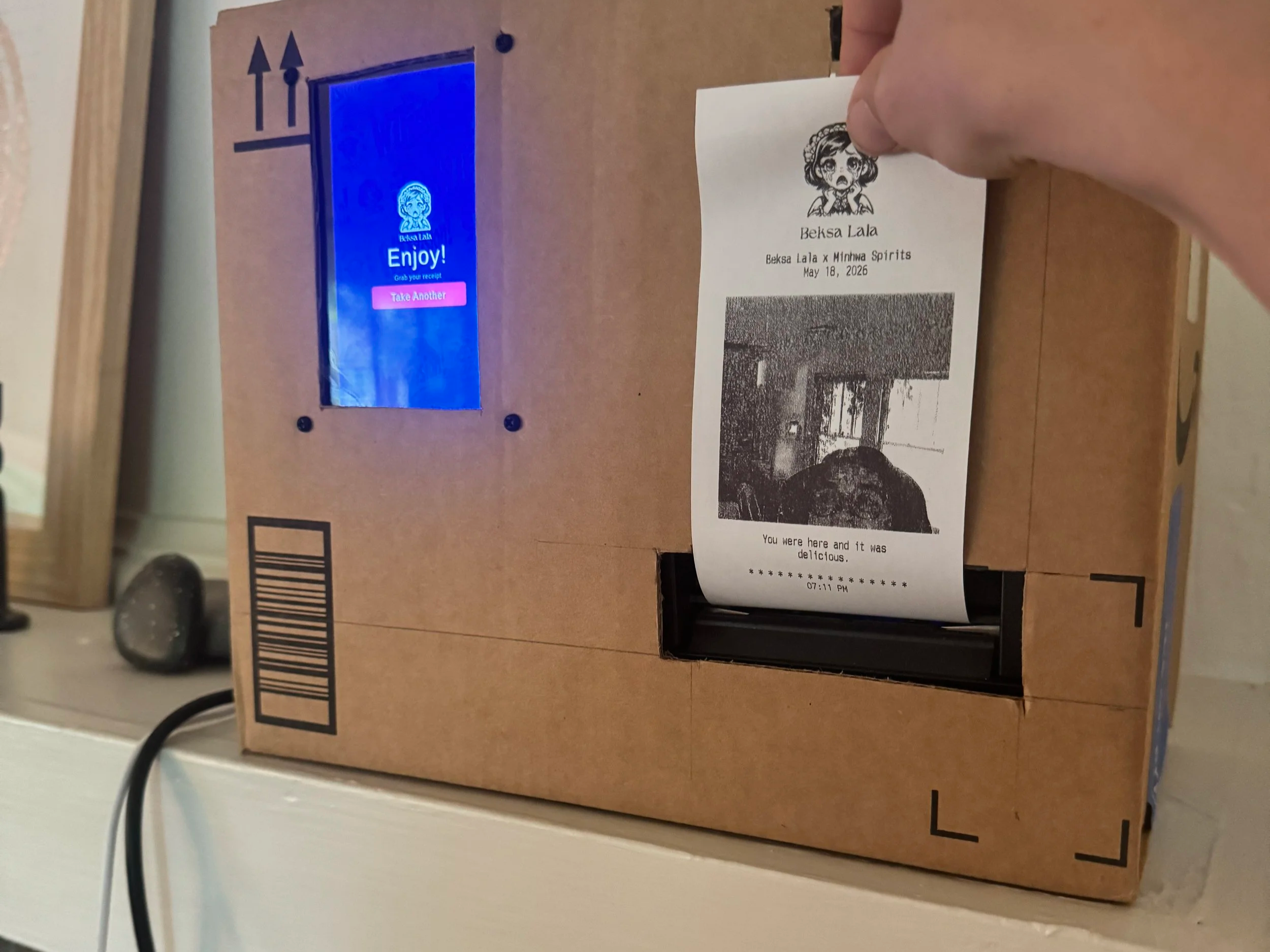
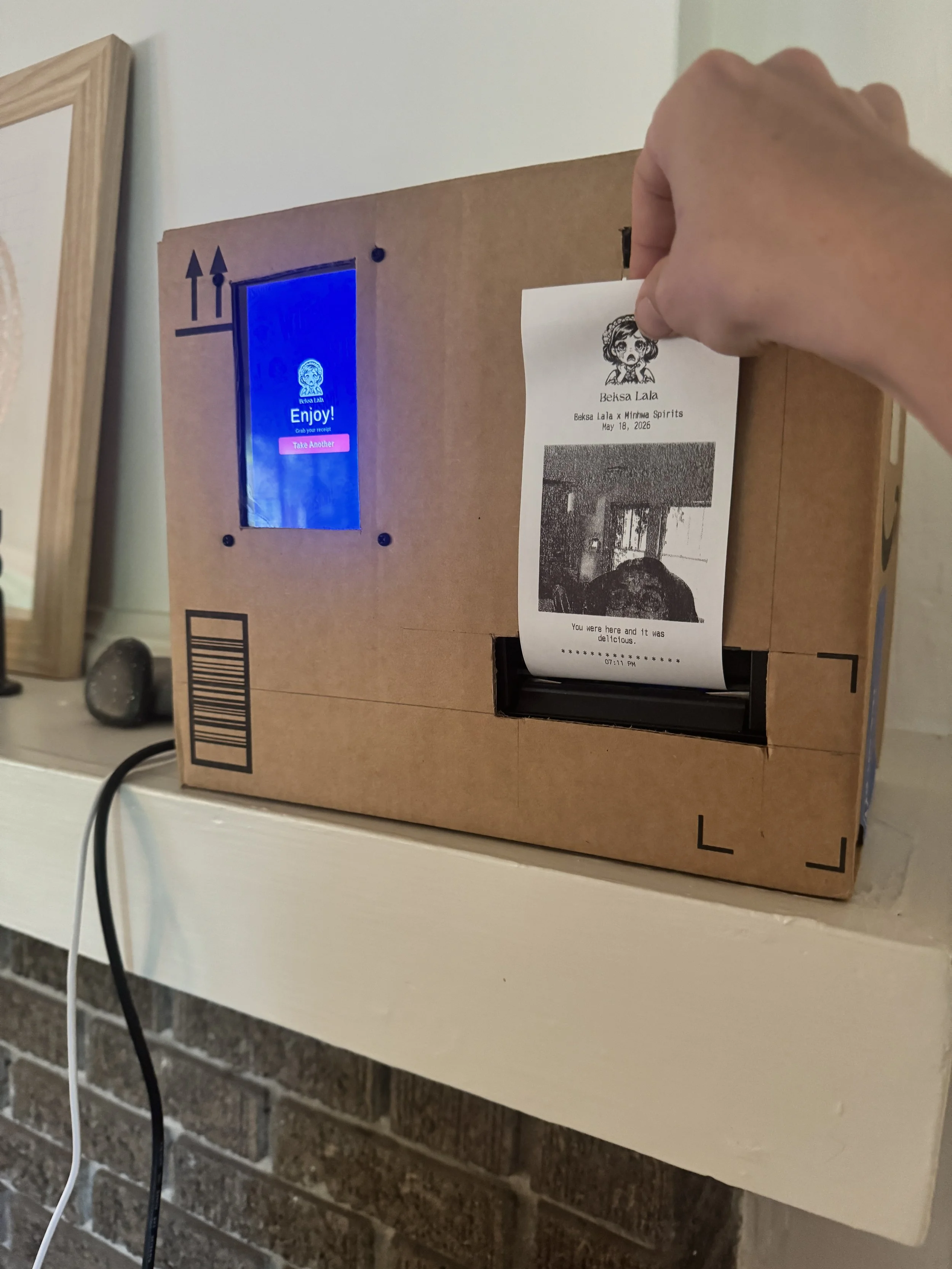
I actually tried to house the whole thing inside a toy cash register at first, since it felt like a perfect physical match for a receipt printer, but it turned out to be too big for the chassis. Still workshopping the housing – it’s currently cardboard for a proof of concept.
What's actually running it?
The whole thing lives on a single Raspberry Pi 4, which acts as both the server and the display, so there's no second device and no network dependency for the core experience. A Flask backend handles capture, image processing, and printing. An ancient webcamI reused from my husband’s computer is read directly through Python using OpenCV, so the camera never touches the browser and there's no camera permission dialog to deal with. The interface itself runs in Chromium in kiosk mode on a small touchscreen, and the whole flow is dead simple: tap start, see yourself in a live preview, tap the shutter, get a 3-2-1 countdown, review the shot, and print.
The printer is an Epson thermal receipt printer, and getting a photograph to actually look like a photograph on a 1-bit device, meaning every dot is either pure black or pure white, took real image processing work. Dithering handles the gray tones, but thermal paper crushes midtones toward black on its own, so there's a gamma lift, contrast boost, and sharpening pass before the final conversion. Skip the gamma correction and every face comes out as a dark blob.
Where did the real difficulty live?
Almost none of it was the code. It was the hardware refusing to cooperate, one piece at a time.
Lighting mattered more than any of the processing. A backlit room throws faces into shadow, and no amount of image processing fully recovers a silhouette. A cheap light near the camera outperformed hours of tuning the pipeline.
The touchscreen had mislabeled ports and needed the correct micro-HDMI cable and a forced display mode before it would show anything at all. A "no signal" loop turned out to be a cable mismatch, not a settings problem.
Rotating the screen to portrait meant rotating the touch input separately, and the touch mapping was initially pointed at a placeholder output instead of the real display, so taps registered in the wrong spot until that got fixed.
Updates to the Pi weren't reliably landing, because the local file wasn't actually being replaced before it got copied over, and browser caching hid which version was actually running. The fix was a small installer script that writes the file directly rather than trusting a copy-paste.
The Pi itself was underpowered at one point, and undervoltage causes a scatter of symptoms, no display, no network, flaky USB, that look like unrelated bugs but all trace back to one cause. A proper power supply cleared all of them at once.
What did AI actually help with here?
A lot of these problems needed me to understand the hardware first before AI could be useful at all. Things like the undervoltage tell, or knowing that a touch input can be mapped to the wrong output and look like a totally different kind of bug, aren't things AI is going to flag on its own. I had to already know enough to ask the right question, or to recognize that "the display isn't working" and "the touch is misregistered" were two completely separate problems with two completely separate fixes. Once I could name the actual issue, AI was genuinely useful working through it with me.
What I'd tell someone attempting this
Budget your time for cables, connectors, power, and mounting, not just software, the hardware fights back more than the code does. If a spec sheet disagrees with a component that's already working in front of you, believe the component. And always verify a change on the actual device, not just on your end, since half of what looks like a bug is really just a change that never made it to the Pi in the first place.
The result
A self-contained, battery-powered, offline photobooth that boots straight to a branded start screen, lets anyone snap their own photo, and hands them a one-of-a-kind thermal receipt with their face on it. It travels in a bag, sets up in the time it takes to plug it in, and needs nothing but power to run all night.
FAQ
Does the photobooth need WiFi or an internet connection to run? No!! It runs fully offline, with a saved phone hotspot available only as an optional management channel, not something guests interact with.
What printer does it use? An Epson thermal receipt printer, printing black-and-white dithered photos on standard receipt paper.
What was the hardest part of the build? The hardware, not the code. Power stability, display cabling, and touch calibration each caused symptoms that looked like separate bugs but had one root cause apiece.