
Viewfinder Windows: A Photobooth Where the Filters Are Draggable Little Windows
Viewfinder Windows: A Photobooth Where the Filters Are Draggable Little Windows
I built a browser-based photobooth where the camera feed runs through live, draggable filter windows, like holding up nine different colored gels to your face at once, then rearranging them while the camera watches. This one's part of the vibe-coded series, and it's easily the most playful build in the batch.
How does it actually work?
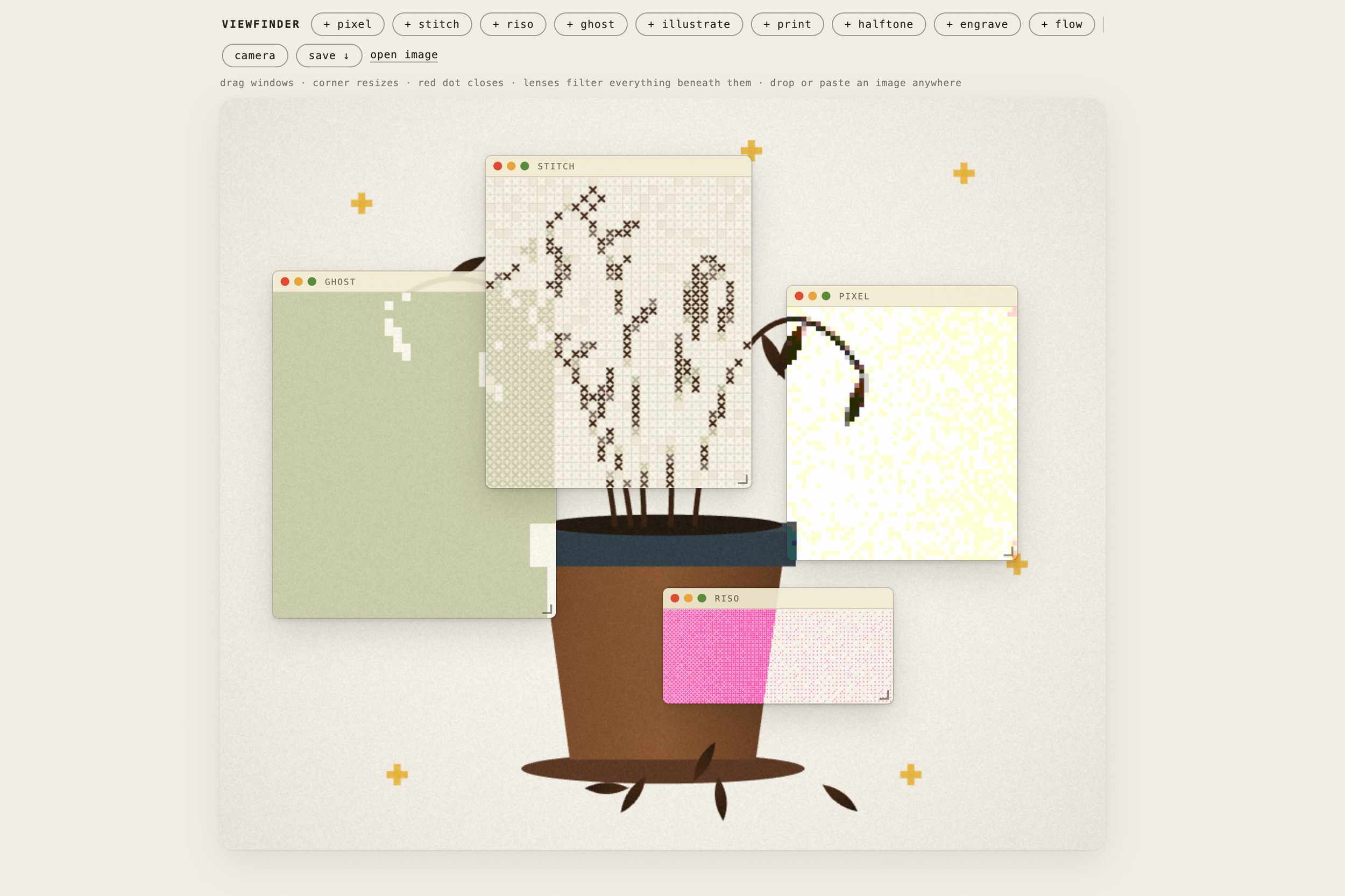
Open the camera, hit start on a 3-2-1 countdown, and the frame freezes. But the filters don't freeze with it, you can drag them around the frozen shot, resize them, stack them, rearrange them entirely after the fact. The lenses genuinely composite together too, a riso window layered over a stitch window produces something that's actually a dithered stitch, not just two effects stacked with no relationship to each other. When you're happy with it, you save as a PNG with the window chrome baked right into the image, so the final file looks like a genuine piece of Viewfinder artwork rather than a plain filtered photo. No images get stored anywhere, everything lives entirely in the browser.
What are the actual lenses?
Nine of them, each with a distinct visual language.
Pixel is a mosaic grid that still reads clearly.
Stitch renders cross-stitch X shapes in a palette pulled directly from your actual image.
Riso is bayer-dithered neon pink on cream, built to mimic how a risograph actually sees color.
Ghost is a pale silhouette on sage, like a spirit caught mid-frame. Illustrate is a saturated posterize down to three or four colors.
Print gives you a retro printer effect with RGB misregistration and grain.
Halftone is a vintage dot screen, dot size tied to darkness.
Engrave is hatched woodcut linework with crosshatching in the shadows.
And flow is luminance-displaced contour lines that bulge with the form underneath them.
What am I actually looking at by default?
You can load your own image by dragging, pasting, or using a file picker, or use the built-in abstract sunrise scene, a layered landscape with a split-tone sun, three hills, a river, and gold sparkles scattered around specifically to give each lens something interesting to catch. The default scene exists purely to show off what each filter does at its best before you ever point a real camera at yourself.
I like the idea of this being an interactive photobooth at an event, but it’s just so fun to play with!
Where does this actually run?
It's a single HTML file, so it works live on a hosted link with real camera access, embeds cleanly in a Squarespace page via an iframe, and runs full screen on a tablet just as easily, good for a pop-up, an event, or just messing around at your desk. The only real requirement is that camera access needs a secure connection or a local environment, that's just a browser security rule, not anything specific to this build.
Why build this instead of just using filters that already exist?
Because you're not trapped inside a phone camera's preset looks. You own the composition. You can pull a window off entirely to see the raw image underneath, or layer all nine filters at once if you want. It's genuinely closer to what a professional photo retoucher or designer does, layering adjustments on top of a locked shot, except here it happens live and as a game instead of in an editing suite. It reminds me most of those old analog photo booths where you'd get a strip of four shots and could draw on them by hand, except the drawing here happens live and mathematically instead of with a pen.
FAQ
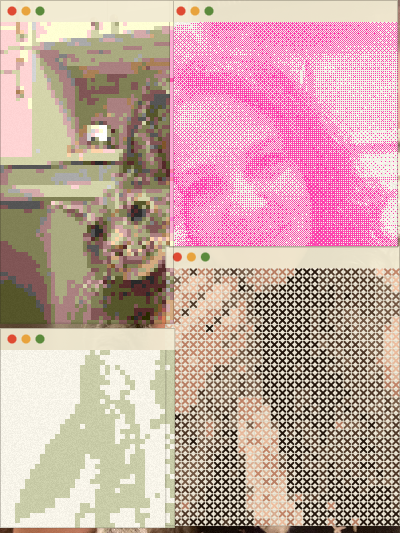
Are any photos saved or uploaded anywhere? No. Everything runs entirely in the browser, and nothing is stored unless you explicitly save the final composited image yourself.
Can I use my own photo instead of the camera? Yes, you can drag in, paste, or pick a file instead of using the live camera feed.
Does this work on a tablet at an event? Yes, it runs full screen on a tablet and works well for pop-ups or events, as long as there's a secure connection or it's running locally, since camera access requires that.