
I Built an AI Photobooth for Events (and Here's Everything That Broke)
I Built an AI Photobooth for Events (and Here's Everything That Broke)
I run a photobooth business under Futura Fotolab, the real camera, real printer, people squeezing into a frame kind. But I've also been running a lower-fi version of something I think is more interesting: an AI photobooth where instead of taking your picture, the machine imagines you. This post is about automating that second thing, and everything that broke along the way.
What's the actual concept here?
Someone fills out a form describing themselves, their look, their vibe, how they see themselves, and that description gets fed into an image generator. The output is a photo strip of three AI-generated portraits based entirely on how they chose to describe themselves. It's a little bit in the spirit of the old Dove Real Beauty Sketches ad, where a forensic sketch artist draws someone based only on how they describe their own face. The premise is the point here too. The way you describe yourself shapes what appears, and people hedge, or go somewhere unexpected, describing an emotion or an energy instead of hair and glasses, and the AI takes all of it completely literally.
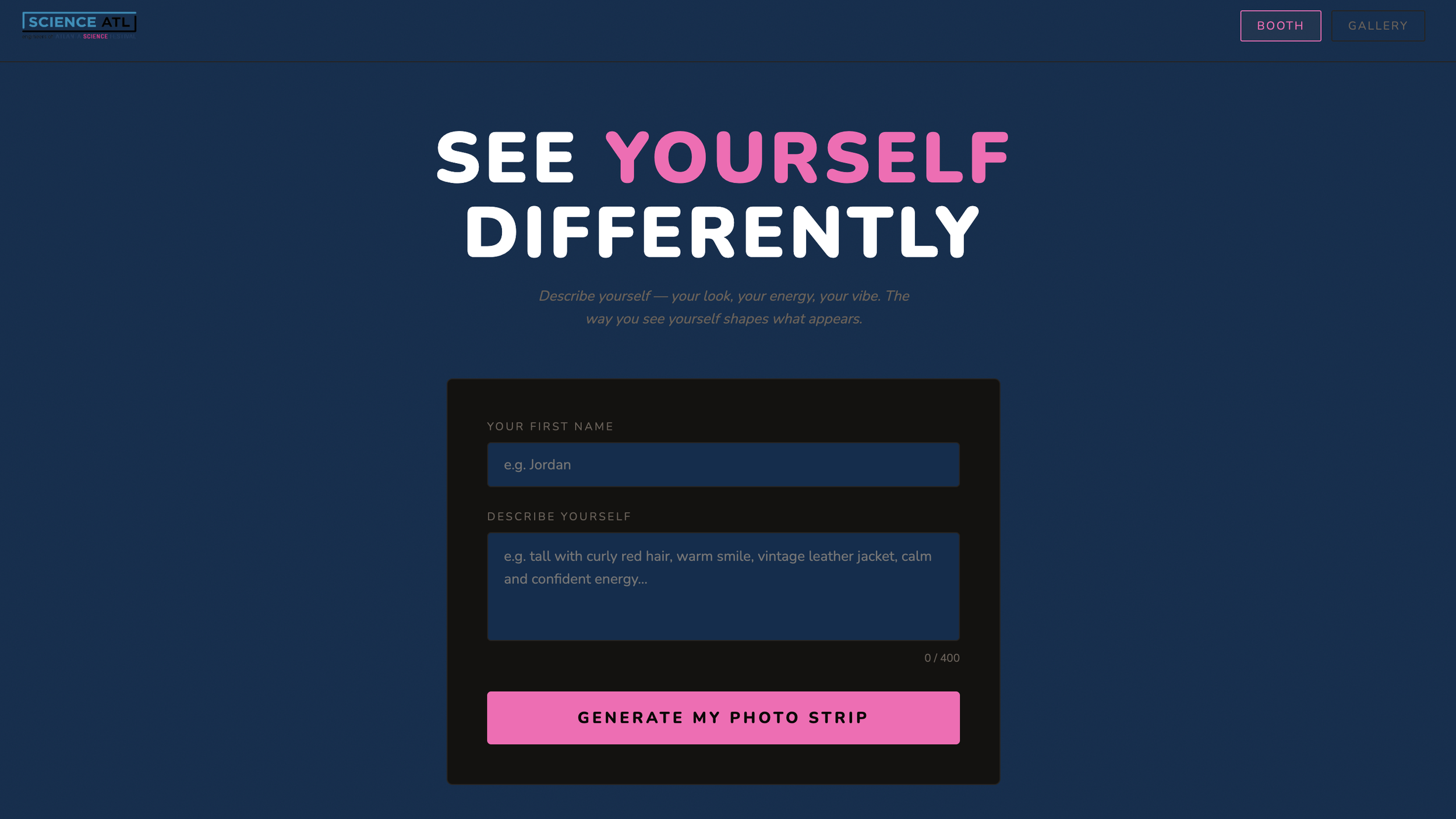
Why automate something that already worked?
Because "already worked" meant me babysitting it the whole time. The original process was a Google Form, watching for a new entry, pasting it into an image generator by hand, downloading the result, dropping it into a template, emailing it out. It ran, but it needed a human in the loop for every single strip, which doesn't scale to an actual event with a line of people.
What was the first thing that broke?
The very first version was a single HTML file that called the image generation API directly from the browser. Browsers block that kind of request when you're loading a file directly, a CORS error, and the message you get is just "Load failed," which tells you nothing. The fix was moving the API call behind a small server that proxies the request, which is what kicked off the rest of the architecture.
What happened once image generation actually worked?
The gallery filled up local storage after about six or seven strips. Each generated image is a hefty base64-encoded PNG, and the browser's storage cap is small enough that three images per strip fills it fast, with no graceful failure, just quota errors. Moving the images to the server's disk solved that until I remembered the free hosting tier wipes its disk on every restart, which happens automatically after 15 minutes of inactivity. Fine for a single event where the server stays awake the whole time. Not fine as a real solution. The actual fix was moving both the images and the gallery data itself into Cloudinary, so none of it depends on the server's own filesystem surviving.
What was the trickiest bug?
Getting the photo strip compositor to place images in the right slots. Clients upload a branded frame with black rectangles marking where photos go, and the server scans the template to find those dark regions automatically. On one client's template, an orange star decoration in the design was dark enough to get mistaken for a photo slot, which took tightening the detection threshold to fix. On the same template, the actual first photo slot started much lower than I assumed, and getting that wrong put a generated portrait directly on top of the client's logo. Not a great look, but a very findable bug once I actually looked at what was rendering.
How did you get the AI to actually respect the style?
Asking for something like a watercolor portrait would often come back looking photorealistic with barely a filter over it. A few things fixed that: putting the style description first in the prompt instead of after the person's self-description, since earlier words carry more weight to the model; increasing how strongly the style prompt gets weighted relative to the rest; adding an explicit negative prompt telling the model what to avoid, things like photo or realistic or camera; and pushing the guidance scale higher so the model follows the prompt more rigidly instead of drifting back toward a default photographic look.
How do you make this work for a different client each time?
This was the actual point of building it as a real app instead of a personal tool. Everything client-specific, the frame image, the color palette, the font, the logo, the event name, lives in environment variables rather than code, so deploying for a new client is just uploading their frame and updating a few settings, no code changes. I've run this for my own brand as well as for clients like Science ATL and Fulton County Arts & Culture, and each one gets its own folder in storage so resetting between events is a single click on a password-protected admin page.
What would you do differently?
Use a real database instead of a single JSON file for the gallery, since every write overwrites the whole file and two people generating at once creates a race condition. It's fine at event volume, not fine at scale. I'd also pre-warm the server before an event starts, since the free hosting tier's cold start takes 20 to 30 seconds, and the first person through the booth shouldn't have to wait through that. And I'd pick a landscape aspect ratio from the start instead of the default square, since most photo slots are landscape and a square image gets cropped in a way that can cut off faces.
The actual point of the whole thing
The technology isn't what I find interesting here. It's the prompt. "Describe yourself" is a deceptively loaded instruction, and watching what people choose to say, and what the machine does with it completely literally, is the whole reason this is worth running at an event instead of just being a fun demo I built once and forgot about.
FAQ
How is this different from a normal photobooth? It doesn't take your photo at all. You write a description of yourself, and an AI image generator produces a portrait based entirely on that description.
Can this be customized for different events or clients? Yes. The frame design, color palette, fonts, logo, and event name are all configurable without touching code, so it's been deployed for different clients including Science ATL and Fulton County Arts & Culture.
Is this related to your regular photobooth business? Yes, it's a separate offering under Futura Fotolab, alongside the traditional camera-and-printer photobooth.