
I Built an Off-Grid Timelapse Camera to Watch Light Move Through a Garden
I Built an Off-Grid Timelapse Camera to Watch Light Move Through a Garden
I built a small Raspberry Pi camera that lives in a garden or forest, takes a photo every few minutes, and runs entirely off battery power with no WiFi required once it's deployed. This is another one from the vibe-coded projects series, tools I've built by working with AI instead of writing them from scratch, and this one came out of three things I care about running into each other at once.
Why build this at all?
Honestly, it's three overlapping reasons rather than one clean answer. It ties into my Master Gardener work, it's about a specific plant or spot I've wanted to actually watch over time instead of just checking in on occasionally, and it comes from a landscape design instinct I've had for a while, which is that I want to genuinely understand how light moves across a garden space over the course of a day and a season, not just guess at it. A timelapse camera is a pretty direct way to answer that instead of standing outside with a notebook.
What's actually running this thing?
The core of the build is a Raspberry Pi Zero W, paired with a 5MP camera module that shoots 1920x1080 stills for around $16. It runs Raspberry Pi OS Lite, the headless version with no desktop, which keeps things fast and lean on a power bank. A single Python script using picamera2 handles the whole capture process: wake up, warm up for two seconds so auto-exposure can settle, take a photo, save it into a folder organized by date, and go back to sleep. No daemons, no processes hanging around in the background waiting for something to do.
Cron handles the actual scheduling, firing that script on a timer, adjustable anywhere from every minute up to every hour depending on what's being captured. A fast-blooming flower wants a tight interval. A season-long garden transformation can sit at every thirty minutes and still tell the full story.
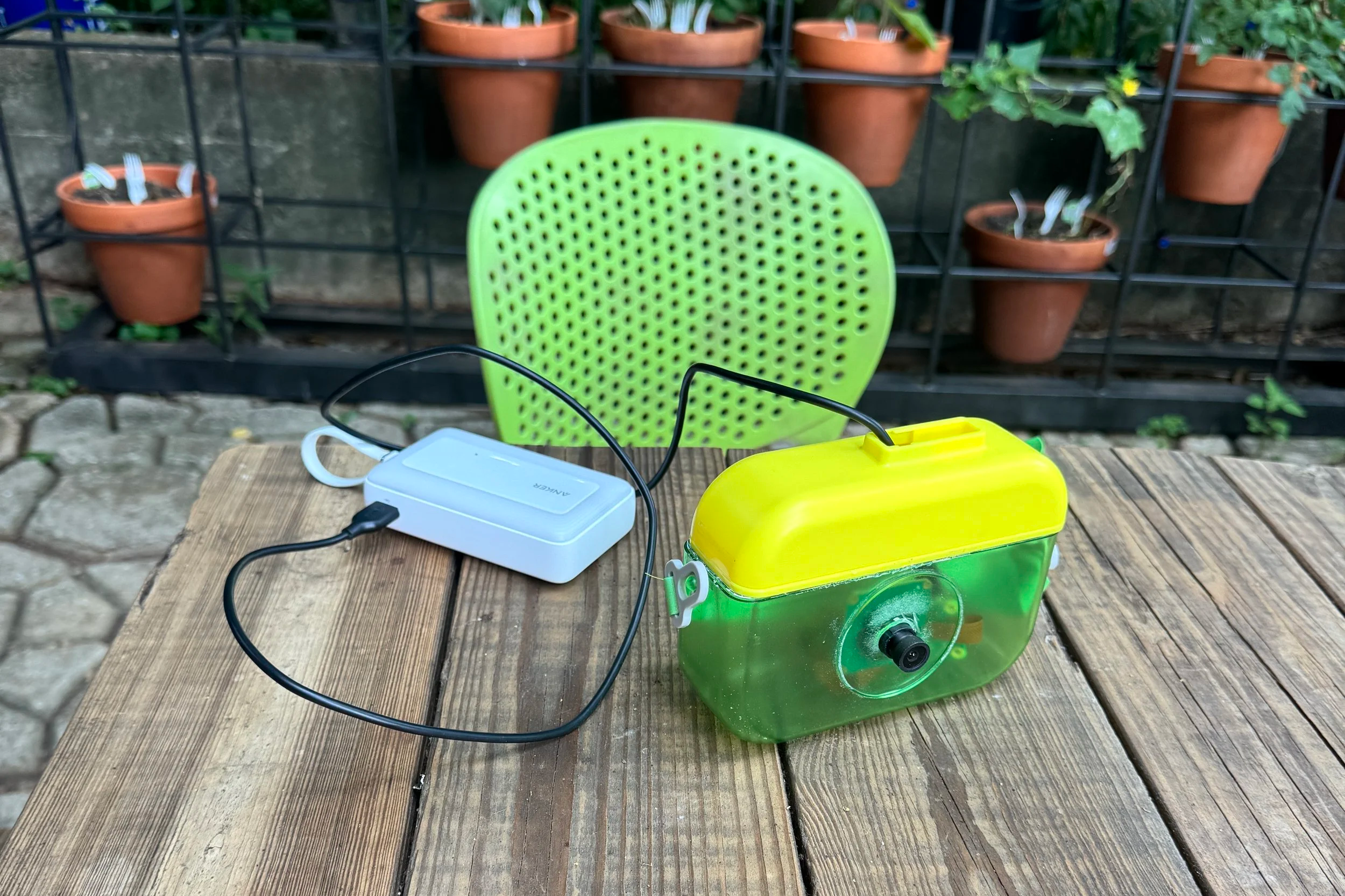
Found a kiddo camera as the housing.
There's also a small web dashboard that runs on the Pi itself, so I can browse the photos by day, click to enlarge, and download everything without ever touching SSH.
The part that actually mattered: working off-grid
The most important constraint on this build was that it had to work somewhere with zero network access, for a full day or more, on battery alone. Cron doesn't care whether there's WiFi. It just runs on a clock. So the deployment workflow ends up being satisfyingly low-tech: set everything up and confirm it's working at home, shut the Pi down cleanly, unplug it, carry it out to the field, and let it run untouched. When I bring it back and plug it in again, every photo from the deployment is just sitting there waiting.
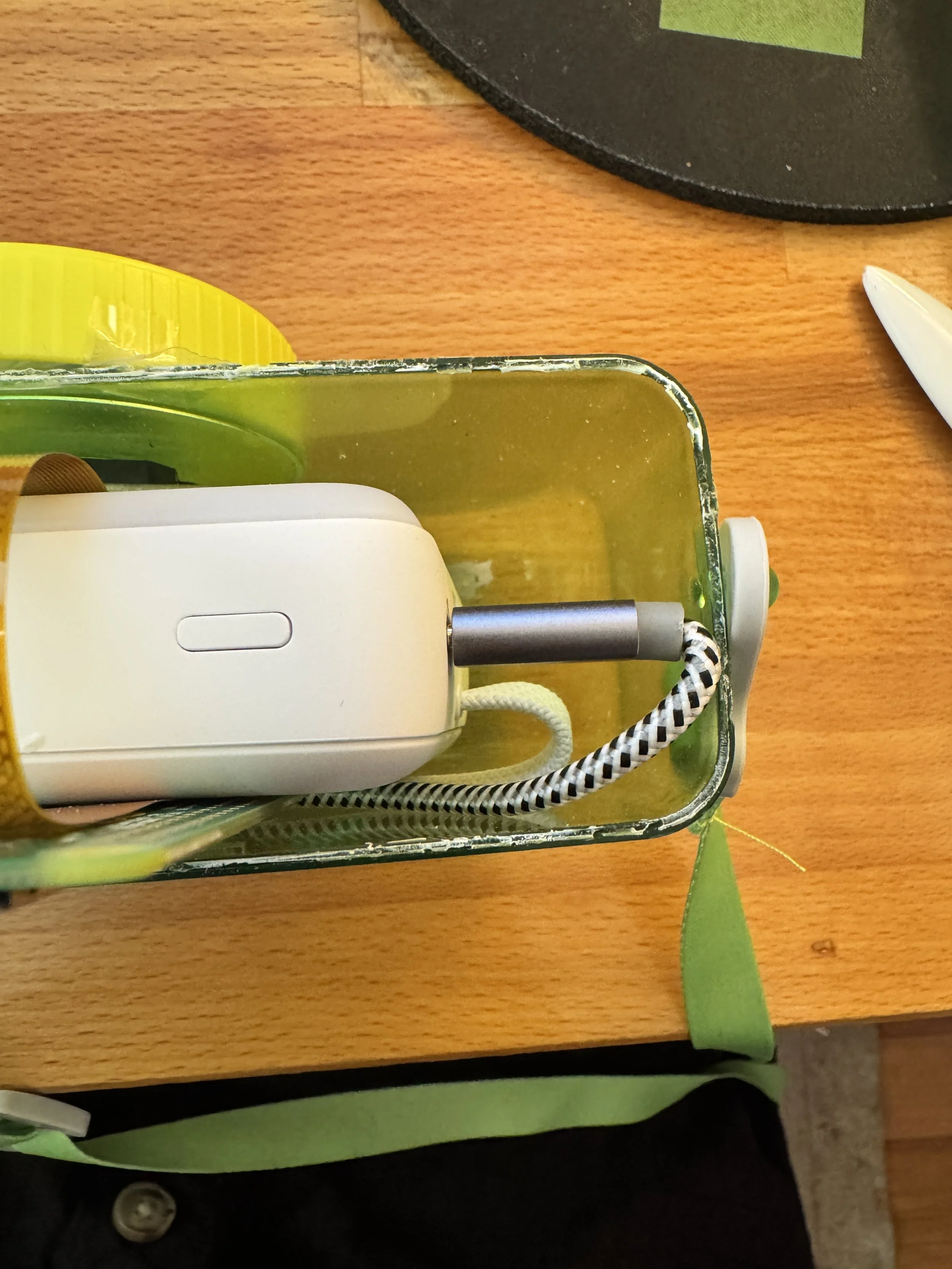
The kid’s toy camera is cute but these batteries are too dang big.
Powering a low-draw device like this off a standard power bank turned out to be its own small problem. Most consumer power banks shut off if they don't detect enough current draw, and the Pi Zero W idles well below that threshold, so the bank will just switch itself off mid-deployment unless you account for it. A small nine dollar dongle that pulses a tiny phantom current through the port solves that permanently.
What AI actually did, and what it didn't
AI was a real partner through this whole build, from the capture script to working through the WiFi and power quirks. But the thing I keep coming back to is that it will not suggest anything you haven't asked for. It's not going to flag that your power bank is about to auto-shutoff on you, or that a ribbon cable can be seated backward and still look installed, unless you know enough to ask the right question in the first place. That's the part that surprised me most about vibe coding this. Knowing the tech, even a little, does most of the actual work. The AI is genuinely good at the part after that.
What's next
The next deployment is a full 24-hour session in the forest, camera weatherproofed and tucked into the bushes, running through a complete day and night cycle. After that, the plan is solar charging so it can run indefinitely without anyone hiking out to swap a battery, and eventually stitching the stills together into an actual timelapse video.
FAQ
Does the camera need WiFi to work? No. It only needs WiFi once, to confirm setup at home. Once it's deployed, it runs entirely on a timer with no network connection required.
How long can it run on battery power? It's designed for 24 hours or more on a single power bank, using a small dongle that keeps the bank from auto-shutting off due to low current draw.
What was built with AI versus figured out independently? AI was a partner throughout, but the useful prompts came from already understanding the hardware quirks, things like power bank shutoff thresholds or cable orientation. AI solves the problem you describe, it doesn't flag the problem you don't know to mention.